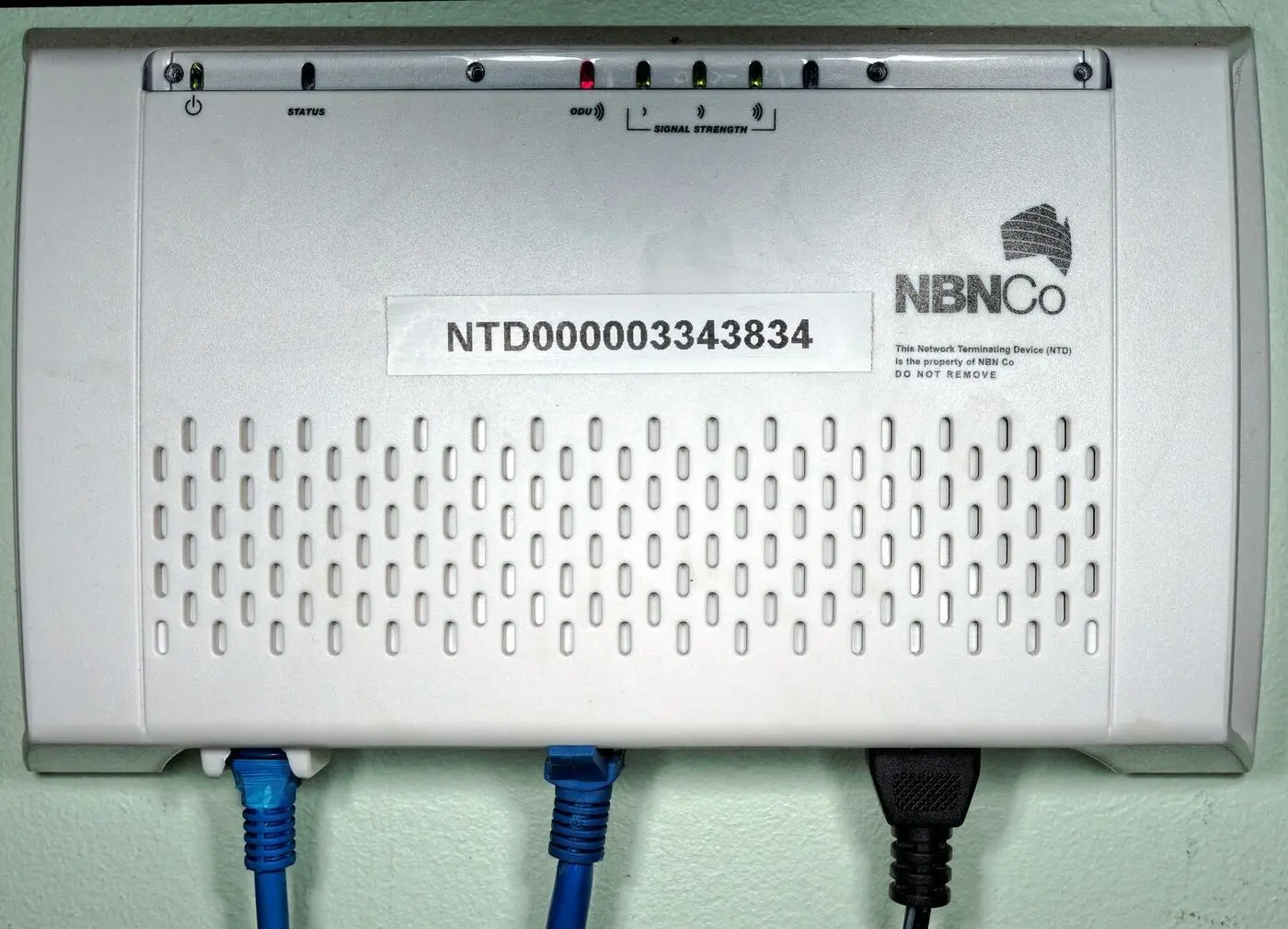
FTTP — Fibre to the Premises — is the fastest, most reliable NBN technology you can have. Glass fibre runs straight from the network into a box on your wall. If you live in one of the newer Geelong estates south of the city, this is almost certainly what you’ve got.
The quick version
FTTP is the only NBN technology that uses zero copper between the exchange and your house. Light through glass, end to end. No distance penalty, no weather penalty, no degradation.
FTTP (Fibre to the Premises) means fibre optic cable runs all the way from the exchange to your home. No copper, no signal degradation, no distance limits on speed. It’s the best NBN technology available.
How FTTP works
What's actually happening between you and the exchange
Fibre runs from the exchange all the way to your street.
That same fibre runs directly into a box on your wall (the NBN NTD / Connection Box).
Your router plugs into the NTD via an ethernet cable in one of the UNI-D ports.
You get consistent, fast internet regardless of how far you are from the exchange.
Unlike FTTN (which relies on old copper for the last stretch), FTTP uses light signals through glass cables the entire way. Light doesn’t degrade over distance the way electrical signals on copper do.
The FTTP Equipment
With FTTP, you’ll have:
- NBN Connection Box (NCD/NTD) - Wall-mounted, usually near your power meter
- Power supply - The NBN box needs power
- UNI-D ports - Ethernet ports where you connect your router
- Battery backup (in some units) - Keeps phone services running during blackouts
The NBN box has lights that show connection status. A solid green light usually means everything is working.
FTTP Speed Tiers (Updated September 2025)
FTTP supports all NBN speed tiers, including the fastest. Major upgrades came into effect on 14 September 2025:
| Plan | Download (Pre-Sept 2025) | Download (Now) | Upload |
|---|---|---|---|
| NBN 25 | 25 Mbps | 25 Mbps | 10 Mbps |
| NBN 50 | 50 Mbps | 50 Mbps | 20 Mbps |
| NBN 100 | 100 Mbps | 500 Mbps | 50 Mbps |
| NBN 250 | 250 Mbps | 750 Mbps | 50 Mbps |
| NBN 1000 | 1000 Mbps | 1000 Mbps (min 750) | 50 Mbps |
| NBN 2000 | N/A | 2000 Mbps | 200 Mbps |
This is huge: If you’re on an NBN 100 plan with FTTP, you now get 500 Mbps for the same price. Most providers are automatically upgrading eligible customers.
Unlike other technologies, FTTP actually delivers these speeds consistently. Your distance from the exchange doesn’t matter.
Why FTTP is the best
FTTP is the only NBN technology that delivers what you actually paid for. Everything else is a compromise dressed up in a brochure speed.
What you actually get for being on FTTP
You get what you pay for. The headline number on the brochure is what's at the wall, every time.
The fibre itself can handle speeds far beyond what's currently offered — every NBN upgrade so far has been a software change at each end.
Great for gaming, video calls and anything real-time. No copper-induced jitter.
No copper to corrode, no joints to flood, fewer line faults.
Some plans offer equal upload and download — useful for working from home, video calls, large file uploads.
How to tell if you have FTTP
Look for an NBN-labelled box on an outside wall (often near the meter box). FTTP boxes have a thin orange or green fibre cable entering them — distinctly different to a copper phone wire. The equipment label will say “FTTP” or “Fibre”. If you can’t find one, punch your address into the NBN address checker — it’ll tell you the technology type at your specific lot.
FTTP Upgrades
If you don’t have FTTP but want it, NBN Co now offers upgrades in some areas:
- Free upgrades: Some FTTC and FTTN areas are being upgraded for free
- Paid upgrades: “Fibre Connect” program lets you pay for an upgrade
- New developments: Most new housing estates get FTTP
Check with NBN Co or your ISP about upgrade availability.
Related reading
- FTTN explained — what most established Geelong suburbs are still on
- Does your NBN provider actually matter? — even on FTTP, ISP choice still matters
- Diagnose your internet — what tier you actually need
Official resources
- NBN Address Checker — Check what technology is available at your address
- NBN FTTP Information — Official NBN FTTP explainer
- Fibre Connect Upgrade Program — Check if you can upgrade to FTTP
Common questions
Do I need a separate router if I have FTTP?+
Yes. The NBN box (Network Termination Device) provides the internet connection, but you still need a router to create your WiFi network and share the connection across devices. Plug your router into one of the UNI-D ethernet ports on the NBN box.
Can I plug a device directly into the NBN box for the fastest speed?+
Yes — for a quick speed test, plugging a laptop straight into a UNI-D port via ethernet gives you the cleanest measurement of what your line is delivering. For everyday use you'll obviously want the router back in place to handle WiFi.
Does FTTP work during a power blackout?+
No — the NBN box needs mains power. Some FTTP setups include a battery backup, but it only keeps the basic phone service running, not data. If reliable internet during outages matters to you, look at a UPS for the NBN box and router.
What was the September 2025 NBN speed boost?+
On 14 September 2025 NBN Co bumped most speed tiers without changing prices. For FTTP and HFC customers in particular, NBN 100 typically now delivers up to 500 Mbps, NBN 250 jumped to around 750 Mbps, and a new NBN 2000 tier was added at the top. Most ISPs passed the boost on automatically.
How do I get FTTP if I don't have it?+
Check the Fibre Connect program at nbnco.com.au. Many addresses are now eligible for a free FTTP upgrade if you commit to a higher-tier plan with a participating ISP for a minimum period. Fibre Connect coverage in Geelong has expanded significantly over the past 18 months.